Welcome new members in style.
Text messages with dynamic variables, optional private message on join, separately designed welcome and leave cards with a canvas renderer. Custom background assets, live preview with a mock user before publishing.
What Welcome can do
Separate channel selection for welcome and leave messages. The dropdown only lists text channels where the bot has write permissions.
Text up to 2,000 characters with variables: {user}, {user.mention}, {user.name}, {user.tag}, {user.id}, {server}, {server.name}, {memberCount}.
Custom DM template per server — sent when the user allows DMs from server members. Up to 2,000 characters.
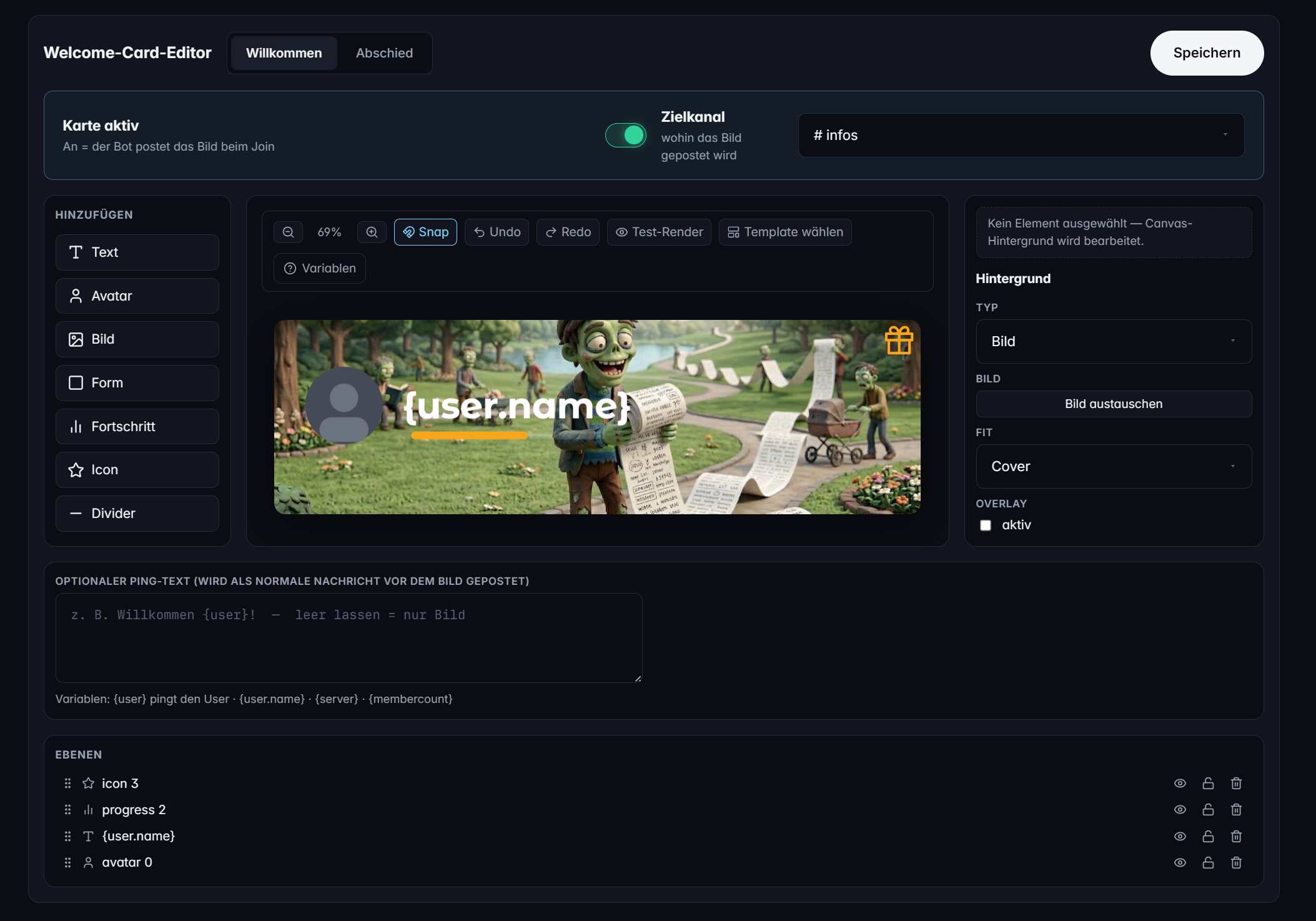
Canvas renderer with custom background image, font, and avatar embedding. Upload PNG/JPG up to 8 MB as an asset and position elements in the dashboard.
A second design specifically for departures — different background, different text. Falls back to the welcome channel if no leave channel is set.
The render endpoint generates a PNG with a mock user before you publish. Instant visual confirmation in the dashboard.
In detail
Template variables in detail
The template parser replaces the following placeholders on every member event:
- {user} and {user.mention} — @-mention for pinging
- {user.name} — plain username without #
- {user.tag} — Username#Discriminator (Discord legacy format)
- {user.id} — Discord snowflake
- {server} and {server.name} — guild name
- {server.memberCount} and {memberCount} — current member count
Asset management
Upload as many background images and overlays as you like. Each asset is tied to a guild, hosted locally, and served via a signed file endpoint. Delete from the dashboard in one click.
Ping and mention
In the card channel you can configure a ping text (e.g. "Welcome {user.mention} to the server!") — the new user gets mentioned alongside the card and receives a desktop notification.
Frequently asked questions about Welcome
Can I turn off the welcome card and only send text?
Yes. Text message and card are independent of each other. The card has its own enabled toggle — when off, only the text message is sent.
What happens if the user has DMs blocked?
The DM silently fails — the public welcome message in the channel is not affected. The audit log notes that the DM could not be delivered.
Do I need to set up a separate channel for leave messages?
No. If no leave channel is set, the leave card falls back to the welcome channel.
How large can card backgrounds be?
PNG or JPG up to 8 MB. 1920×1080 (or smaller) in JPG format is recommended — this keeps render time under 500 ms.
More modules
Ready for TeraOne?
Two clicks to set up. No onboarding, no credit card.