Self-service roles — in the format that fits your server.
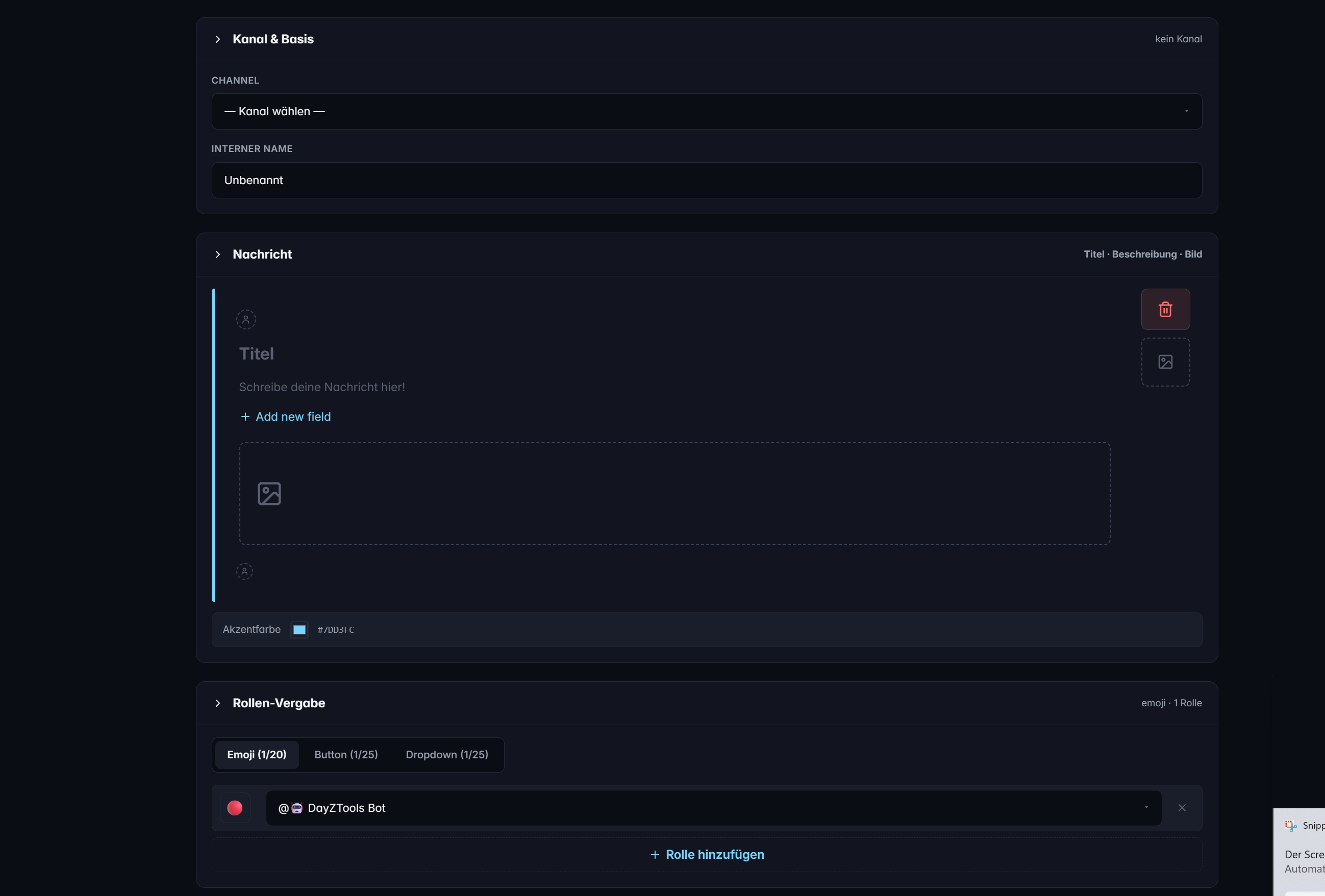
Build an embed with full WYSIWYG (title, description, fields, images), attach role options, publish — your users toggle themselves into roles. Three interaction types: emoji reaction (up to 20), button (up to 25), or string-select dropdown (up to 25).
What Reaction Roles can do
Each "part" is a Discord message embed with its own config. Spread across different channels — pronoun picker in #intro, notification opt-ins in #announcements, game roles in #gaming.
Emoji reactions (Unicode + custom guild emoji, up to 20). Buttons (up to 25, 4 styles: Primary/Secondary/Success/Danger). String-select dropdown (up to 25 options with label + description).
Title (256 chars), description (4096), up to 25 fields (256 name / 1024 value), image, thumbnail, footer (2048), accent color. Live preview in the dashboard before publishing.
PNG or JPG up to 8 MB → automatically compressed to WebP, max 2,000 px wide, ~80% size reduction. You upload, Discord renders fast, no bandwidth worries.
Standard: click gives role, re-click removes it. Inverted: role is already assigned, click removes it. Perfect for opt-out notifications ("Click to unsubscribe from update pings").
Work on the part in the dashboard without users seeing anything. Publish → the message lands in the channel. When you edit later, you can re-publish — the original message is updated, interactions remain intact.
In detail
Why buttons and dropdowns?
Emoji reactions are classic but limited — 20 max, Unicode issues on mobile, no labels. Buttons (up to 25) look more modern and show text. String-select dropdowns (up to 25) are perfect for long lists where buttons would take too much space — pronouns, languages, countries.
Multi-role toggle
Per part: "Allow multiple roles" on/off. Off = single-select (choose pronouns: he OR they OR she, never multiple). On = multi (choose games: CS2, Valorant, LoL simultaneously).
Per-user per-part rate limit
Accidental double-clicks are caught — 1 role change per user per part per 2 seconds (in-memory LRU). No race conditions, no role flapping.
Frequently asked questions about Reaction Roles
Can I convert an existing message link into a reaction role?
No — the bot must have posted the message itself so it can edit it and manage reactions. Old messages must be re-created via Draft → Publish.
What happens when I edit an emoji part?
Re-publish updates the embed AND syncs the reaction emojis — new emojis are added, removed ones are deleted (including user reactions on removed emojis). Role assignments are preserved.
Can I enforce a required role (e.g. "only VIP can choose pronouns")?
Not currently — every reaction role is open to all once the part is in the channel. Role dependencies / gating are planned for phase 2.
How many reactions per message are handled well?
Discord limits reactions to 20 unique per message — we respect that. For more options, use buttons (25) or dropdown (25).
More modules
Ready for TeraOne?
Two clicks to set up. No onboarding, no credit card.