Every event. With actor. In your own log channel.
24 monitored Discord events in 3 categories (Messages, Members, Server) — each individually toggleable, per-category log channel, global ignore-channel list. Actor attribution (who did it?) automatically sourced from Discord's own audit log. No database storage — the Discord channels are the log.
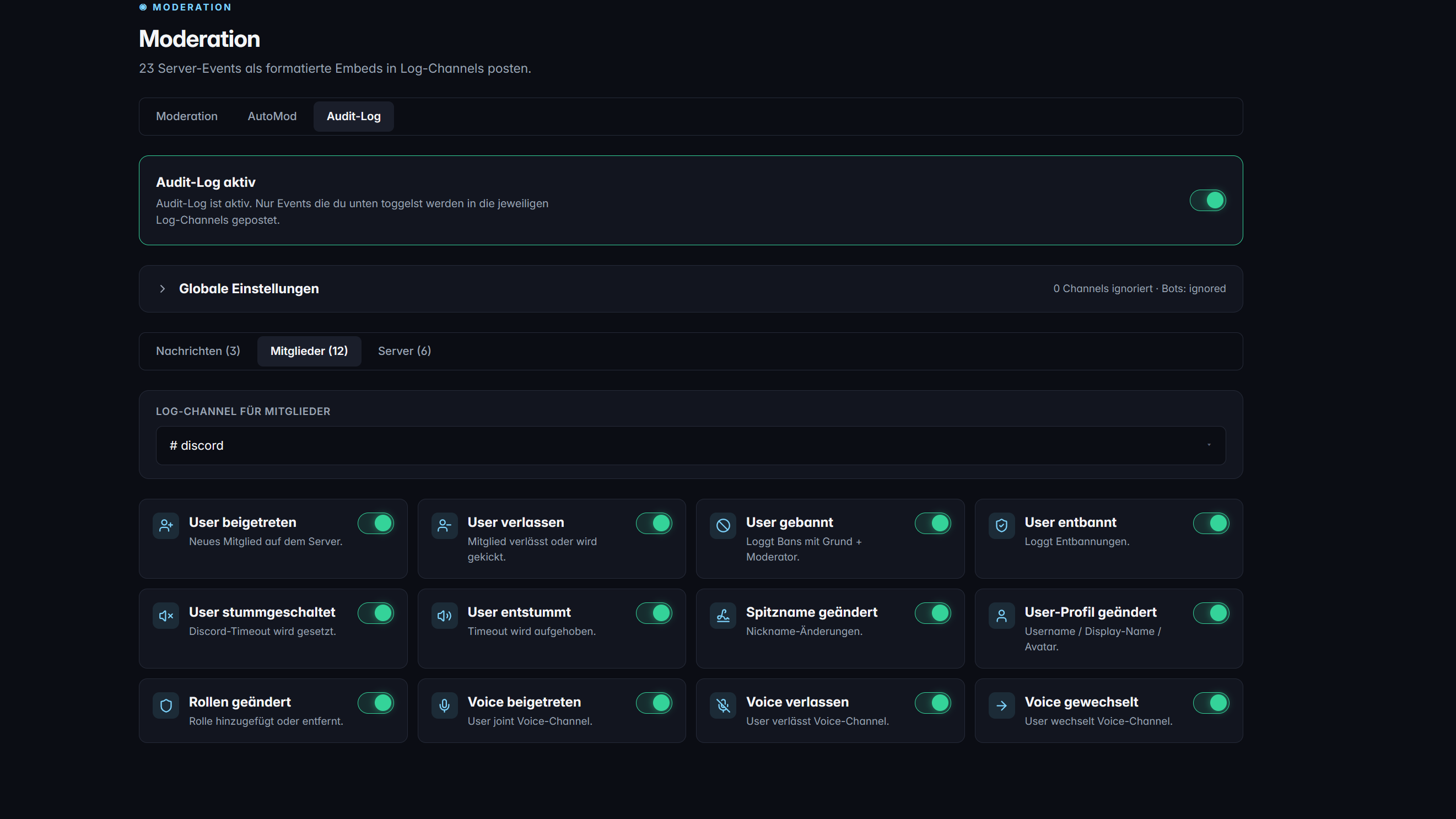
What Audit-Log can do
Messages (3): Edit, Delete, InviteCreate. Members (12): Join, Leave, Ban, Unban, Mute/Unmute, Nickname, Avatar, Role changes, Voice Join/Leave/Move. Server (9): Role+Channel Create/Update/Delete, Guild update, Emojis.
Only want bans and joins? Disable the other 22 events with one click. No checkbox sprawl — clean default groups for typical setups.
Messages in #message-log, member events in #member-log, server changes in #server-log. Each category has its own target channel — or put everything in one.
Exclude public voice channels from voice logs, exclude admin channels from message edit logs — a global list that applies across all 24 events.
Who assigned the role? Who deleted the channel? TeraOne queries Discord's own audit log and shows the moderator name directly in the embed — no more "Unknown actor" when Discord has the information.
On by default: actions by bots are not logged. Disable the filter if you also want to see MEE6/Dyno kicks. One toggle, clean log.
In detail
No database bloat
We do NOT store logs in our database — Discord channels themselves are the source of truth. That means no storage costs, no need for dashboard search (Discord has built-in search), and no GDPR concerns about stored user content.
Rate-limit handling
During event bursts (mass member join, server emoji refresh), a 10-posts-per-channel-per-10-seconds guard kicks in. Skipped events are summarized ("⚠ 37 events skipped — rate limit") and noted in the log channel every 60 seconds.
Message edit & delete: the caveat
For message edits and deletes, Discord can only show cached content — since the bot booted. Messages from before the last bot restart have no "old text" in the embed. This is a Discord API limitation, not ours.
Frequently asked questions about Audit-Log
Can I export historical logs?
Not from TeraOne — the logs live in your Discord channels. Use Discord's built-in copy message function or tools like DiscordChatExporter for bulk exports. We intentionally store nothing twice.
Why does it say "Unknown actor" for some events?
Discord's audit log has a retention limit (~45 days) and does not surface some event types (e.g. self-nickname changes). For events Discord itself doesn't attribute, we cannot either. The bot additionally needs "View Audit Log" permission.
How many events can I enable without rate-limit issues?
All 24. The rate-limit guard only kicks in during bursts into a SPECIFIC channel — enabled events that fire rarely (guild update, role delete) don't count toward the 10/10s burst.
More modules
Ready for TeraOne?
Two clicks to set up. No onboarding, no credit card.