Your bot. Your branding. Your server.
Connect your own Discord application token and TeraOne hosts a dedicated bot client per server — with your own name, avatar, banner, and presence. Tokens are stored securely and never transmitted in plain text.
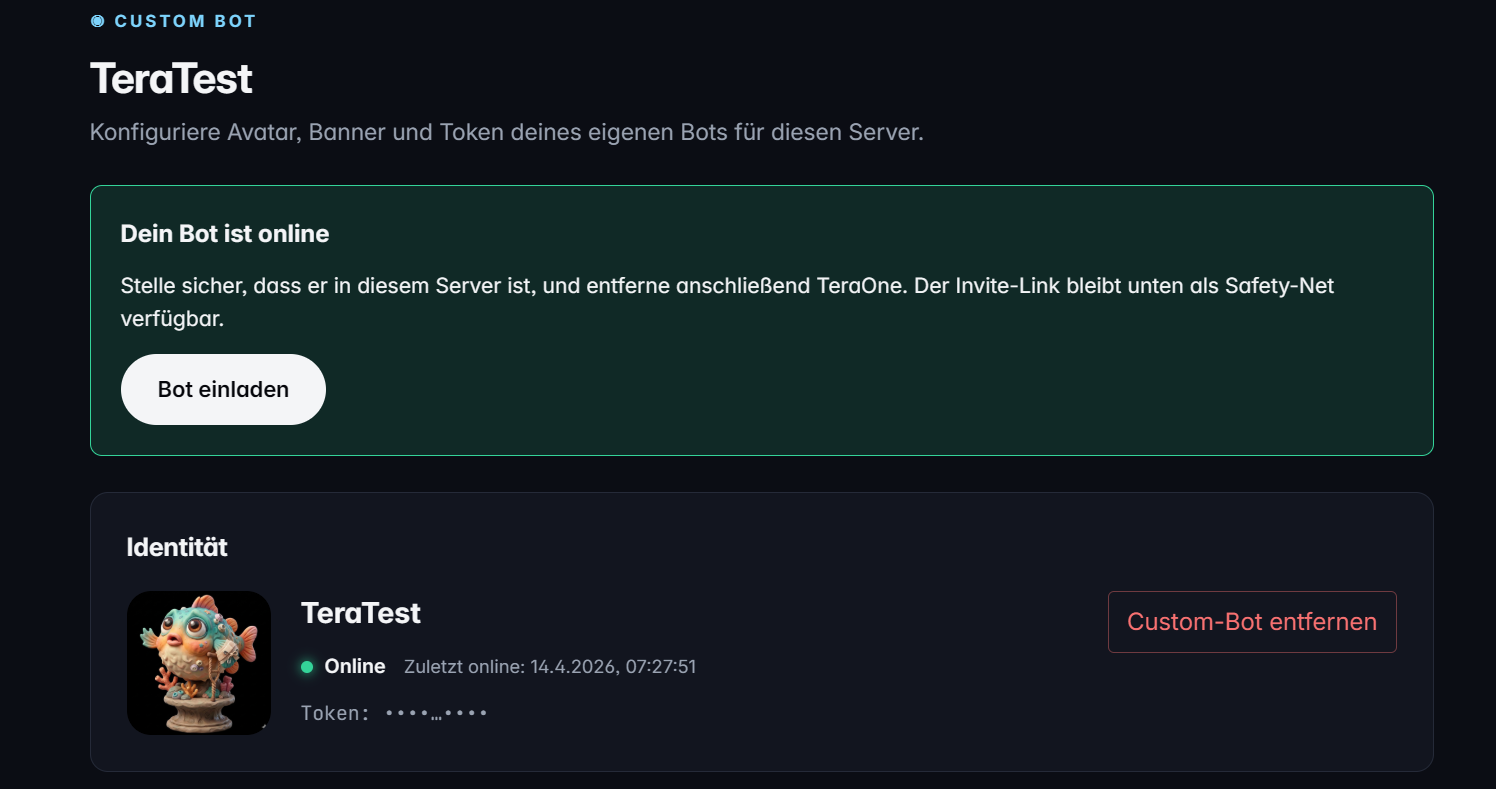
What Custom Bot can do
Username, discriminator, and application ID are automatically fetched from Discord and displayed. The bot appears with your branding.
PNG or JPG up to 8 MB per file. Files are mirrored locally (independent of Discord's CDN) and can be reverted at any time with the reset button.
Four modes: online, idle, dnd (Do Not Disturb), invisible — applied live without a bot restart.
Playing, Streaming, Listening, Watching, Competing, and Custom Status — with custom text and a stream URL for Twitch/YouTube.
Your bot token is stored securely and never transmitted in plain text. Before saving, it is validated against the Discord API so typos are caught immediately.
Five phases: pending, starting, online, offline, error. When errors occur, the last error cause is shown in the dashboard — including a retry button.
In detail
Setup in two steps
Create a Discord application in the Developer Portal, copy the bot token, and enter it in the dashboard. TeraOne checks the token format, verifies ownership against the Discord API, and stores it securely. The bot starts immediately.
Customize presence & activity
Set a persistent presence — your custom bot will display it on every start. No cron scripts, no self-hosting required.
- Playing "CS:GO"
- Streaming "Live with the crew" + Twitch URL
- Listening "Spotify Top 50"
- Watching "Server Logs"
- Competing "in the event"
- Custom status with free text
Error resilience
Invalid tokens, missing intents, or Discord downtime are all surfaced with structured error messages in the dashboard. One click on Retry restarts the custom bot — no deploy, no SSH.
Frequently asked questions about Custom Bot
Do I need hosting experience for the custom bot?
No. You only create a Discord application in the Developer Portal and enter the bot token in the dashboard. TeraOne handles hosting, restart logic, and status monitoring.
Is my bot token stored securely?
Yes. The token is encrypted in a Postgres database in Germany, never transmitted in plain text, and deleted on uninstall.
Can I change the avatar and banner at any time?
Yes. Uploads accept PNG and JPG up to 8 MB. You can revert either with the reset button — Discord's default will then be shown.
What slash commands does my custom bot have?
The same as TeraOne itself: all modules (Moderation, Welcome, …) and their slash commands are registered on your custom bot's ready event.
More modules
Ready for TeraOne?
Two clicks to set up. No onboarding, no credit card.